← Back to blog  ·  Deep dives

WhatCable doesn't just take the cable's word for it

 ·  #usb-c #whatcable #mac #cables #diagnostics #

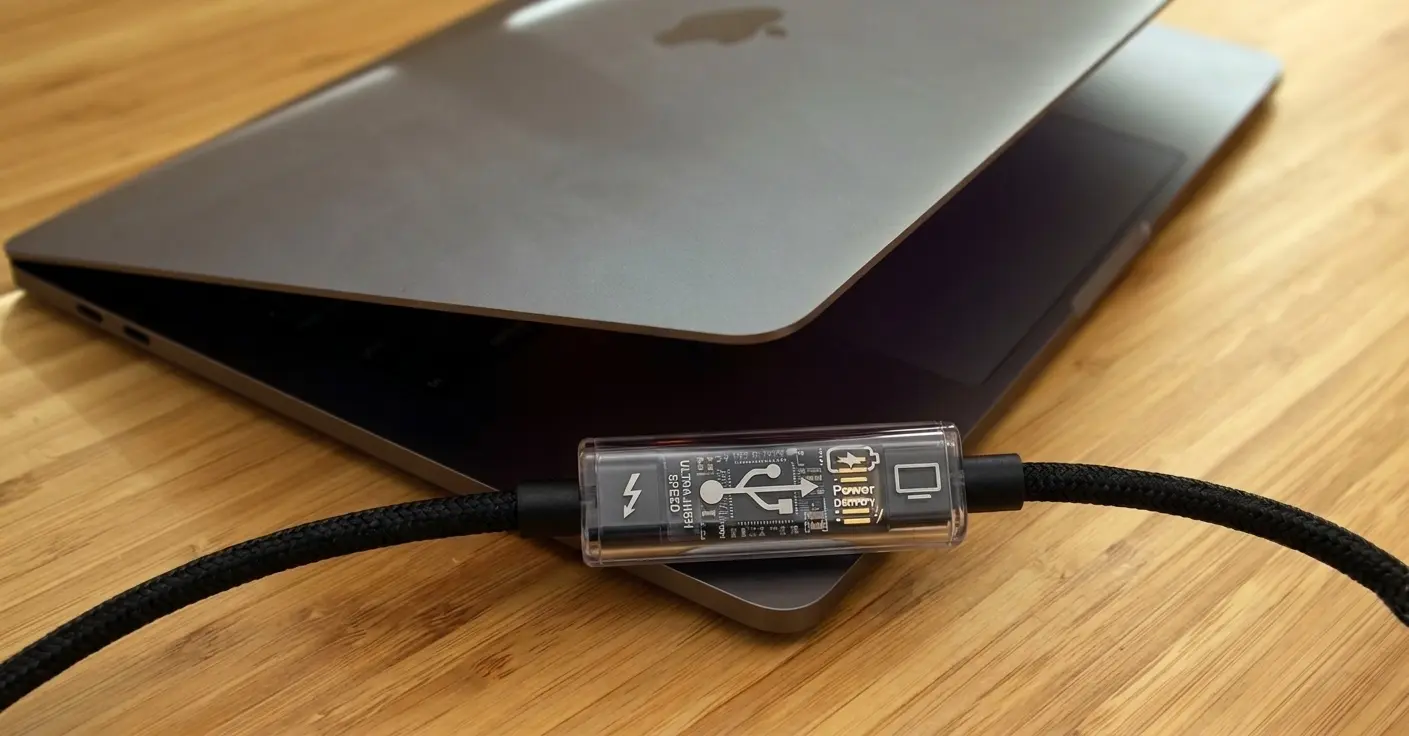
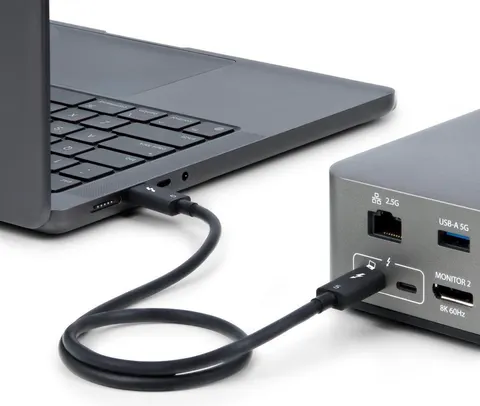
Thunderbolt cable connected to a laptop and dock.


Every review of WhatCable lands on the same caveat. Some cables lie about what they can do, so an app that reads a cable can be fooled. That's true. It's also half the story, and the other half is the part that makes WhatCable worth having.

Here's the distinction.

What a cable claims vs what the link actually does

A USB-C cable with an e-marker chip carries a small block of self-description. Rated speed, current, voltage, vendor ID, active or passive. When you plug it in, your Mac asks the chip "what are you?" and the chip answers. That answer is a claim. Nothing more. A cheap cable can claim 240W and 40 Gbps and be wired for neither.

If all WhatCable did was print that claim back to you, the worry would be fair. A liar with a nice font is still a liar.

But the claim is one input, not the answer.

It reads the whole chain, then checks it against itself

Every connection has more than a cable in it. There's the port on your Mac, the cable, and the thing on the other end: a charger, a dock, a drive, a display. Each part reports what it can do, and the two ends negotiate a result they can both live with.

WhatCable reads all of it. The Mac port's own capability. The cable's e-marker. The device or charger's identity. Then it does the part that matters. It compares what each part claims against what the link actually negotiated, and it names the weakest link.

So when a cable claims 40 Gbps but the connection came up at 10, you don't just see the cable's boast. You see the boast, the reality, and where they diverge. And WhatCable is careful about who it blames. It ranks the suspects, device first, then the Mac port, then the cable, so it won't tell you to buy a new cable when the thing actually holding you back is the drive you plugged in. Replacing the cable there would change nothing, and saying so would be worse than saying nothing.

That's a diagnosis of the connection. Not a recital of what the cable says about itself.

The Thunderbolt cross-check: a second, independent witness

This is the part the "cables can lie" caveat doesn't account for.

On a Thunderbolt or USB4 link, WhatCable doesn't only ask the cable how fast it is. It also reads Apple's own Thunderbolt controller, which measures the speed the link actually trained to, in hardware, with no reference to the e-marker at all. Two separate sources: what the cable says, and what the controller measured.

When they agree, fine. When they disagree, that's the interesting case, and it usually runs the opposite way to what you'd expect.

Some active Thunderbolt 4 cables under-sell themselves in their e-marker. The chip reports "passive" or a low speed, while the cable is quietly carrying a full 40 Gbps. Read the e-marker alone and you'd under-rate a perfectly good cable. WhatCable sees the controller measuring more than the chip claims, trusts the hardware measurement over the self-report, and tells you the cable is doing 40. The cable lied, and WhatCable corrected it upward from an independent reading. That's the exact opposite of being fooled.

It also refuses to make the mistake in reverse. A genuine 80 Gbps cable run between two 40 Gbps ports will negotiate 40, because 40 is all the endpoints can do. The controller's measurement is a floor on what the cable can carry, never a ceiling. So WhatCable treats "the link ran at 40" as proof the cable does at least 40, not as evidence the cable's 80 Gbps claim is a lie. A cable rated above what its endpoints can use is completely normal, and calling it suspicious would be a false alarm.

Charging: which of the three parts is the reason

Same idea, different signal. When you ask "why is my MacBook charging slowly", there are three numbers in play: what the charger can output, what the cable is rated to carry, and what the connection actually negotiated. WhatCable reads all three and tells you which one is the bottleneck.

If the cable is rated below the charger, it says so plainly, replace the cable. But it's just as careful about the times the cable is fine. Charging at 30W off a 96W charger is usually not a fault at all. It's your Mac asking for less because the battery is nearly full, or because a charge limit is active, or because macOS draws from one charger at a time and this port is on standby while another does the work. WhatCable names each of those states rather than leaving a healthy cable under suspicion. The goal is a correct answer, not an alarming one.

Displays: it clears the cable, it won't frame it

Video is the one dimension where WhatCable is deliberately more cautious, and the caution is the point.

It reads the display's EDID, the block the monitor uses to describe its resolutions and refresh rates, works out the bandwidth the monitor's best mode needs, and compares that against the bandwidth the link is currently carrying. If the link already covers the top mode, it says so with confidence.

If it doesn't, WhatCable will not automatically blame the cable, because from this kind of passive reading it genuinely can't tell a cable that's maxed out from a resolution you simply haven't selected yet. A DisplayPort link trains itself down to whatever's on screen to save power, so a "slow" link is often just an unused one. What WhatCable can do is clear the cable when the evidence allows, for instance when the video is tunnelled over Thunderbolt (so the cable is carrying far more than any picture needs) or when every DisplayPort lane the Mac provides is already in use. It can also spot when your display is using compression (DSC) to fit a big mode like 4K120 through the link, and say the picture is fine rather than cry shortfall. It exonerates the cable on evidence. It never convicts it on a guess.

Where the caveat is still fair

Software can't see inside the jacket. If a cable's e-marker claims 240W and the copper can't carry it, and you never draw enough power to expose the gap, WhatCable will show you the claim with nothing to contradict it. At that point the chip is lying and there's nothing in the data to catch it out.

No pretending otherwise. WhatCable does flag a handful of internal tells that tend to travel with dodgy cables: reserved bit patterns the spec doesn't allow, a vendor ID that resolves to no known maker, an e-marker that claims high-voltage charging while reporting a voltage that can't support it. Ten checks in all. But it's deliberately restrained about them. A blank vendor ID on its own doesn't trip a warning, because plenty of genuine cables ship without one, Apple's included. WhatCable only leans on that signal when the rest of the e-marker is inconsistent too. The flags are a reason to look closer, not a verdict. The only thing that proves what's physically inside a cable is a hardware tester, and WhatCable has never claimed to be one.

Trust is earned by delivering, not by claiming

That restraint is the whole design of WhatCable's trust rating, and it's worth spelling out because it's the direct answer to "an app that reads a cable can be fooled".

WhatCable does not hand a cable a clean bill of health for having a tidy e-marker. We tried scoring cables on their e-marker bits and it failed against real hardware: the "suspicious" flags fired on genuine cables, Apple's own among them. So a cable earns a green rating one way only, by being watched to deliver its claim. The link actually carried its rated speed, or a charge actually pulled its full rated power. A registered vendor ID isn't enough. A confident-looking e-marker isn't enough. Pedigree is not proof. Delivery is.

Until then a cable sits at "unverified", which is not an accusation, just an honest "nothing demanding has been connected yet, so there's nothing to confirm". And a cable can lose trust too: if the connection repeatedly drops or degrades under load over a session, that observed failure outranks any earlier claim.

The point

When something's slower than it should be, "is this cable any good" is really "why is this slow, and is the cable the reason". Answering that means reading the whole chain, not the cable's boast, and on Thunderbolt, checking that boast against what the hardware actually measured.

WhatCable does that. The cable's own claim is one witness, and not always an honest one. It's never the only one in the room.

Frequently asked questions

Does WhatCable just read the cable's e-marker chip?

No. The e-marker is one input. WhatCable also reads the Mac port, the device or charger on the other end, and, on a Thunderbolt link, the controller's own independent measurement of the negotiated speed. It then compares the claims against what the link actually did and names the weakest part.

Can WhatCable prove a cable is counterfeit?

No, and it never claims to. Software can't see inside the jacket. What it can do is catch a cable that fails to deliver what it claimed, flag e-marker data that looks off, and, on Thunderbolt, cross-check the cable's claim against a separate hardware reading. Proving what copper is physically inside a cable needs a hardware tester.

A cable's e-marker claims 40 Gbps but WhatCable shows the link at 10. Which is right?

Both, usually. The e-marker says what the cable can do. 10 Gbps is what this particular connection negotiated, which is capped by the slowest of the port, cable, and device. WhatCable shows you the claim, the real speed, and which part set the limit.


Have a cable that doesn't behave the way you'd expect? Report it on GitHub or browse the cable database.